
How do I apply for a job?
Apply for jobs directly from your Instaffo profile by answering short questions and clicking submit, with your résumé automatically shared with the company
You can apply with your Instaffo profile in about a minute. You don’t need a cover letter.
How to apply
-
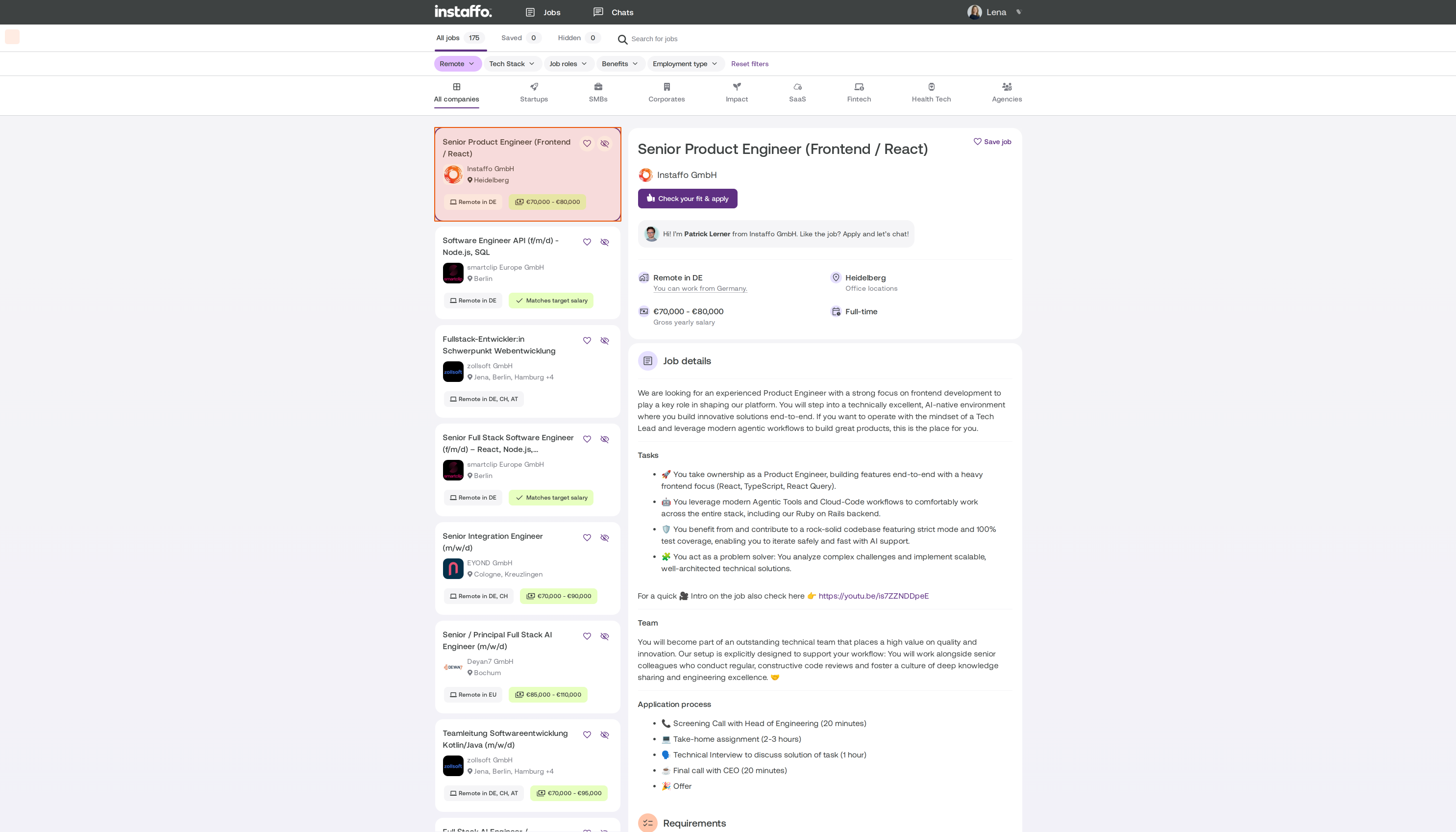
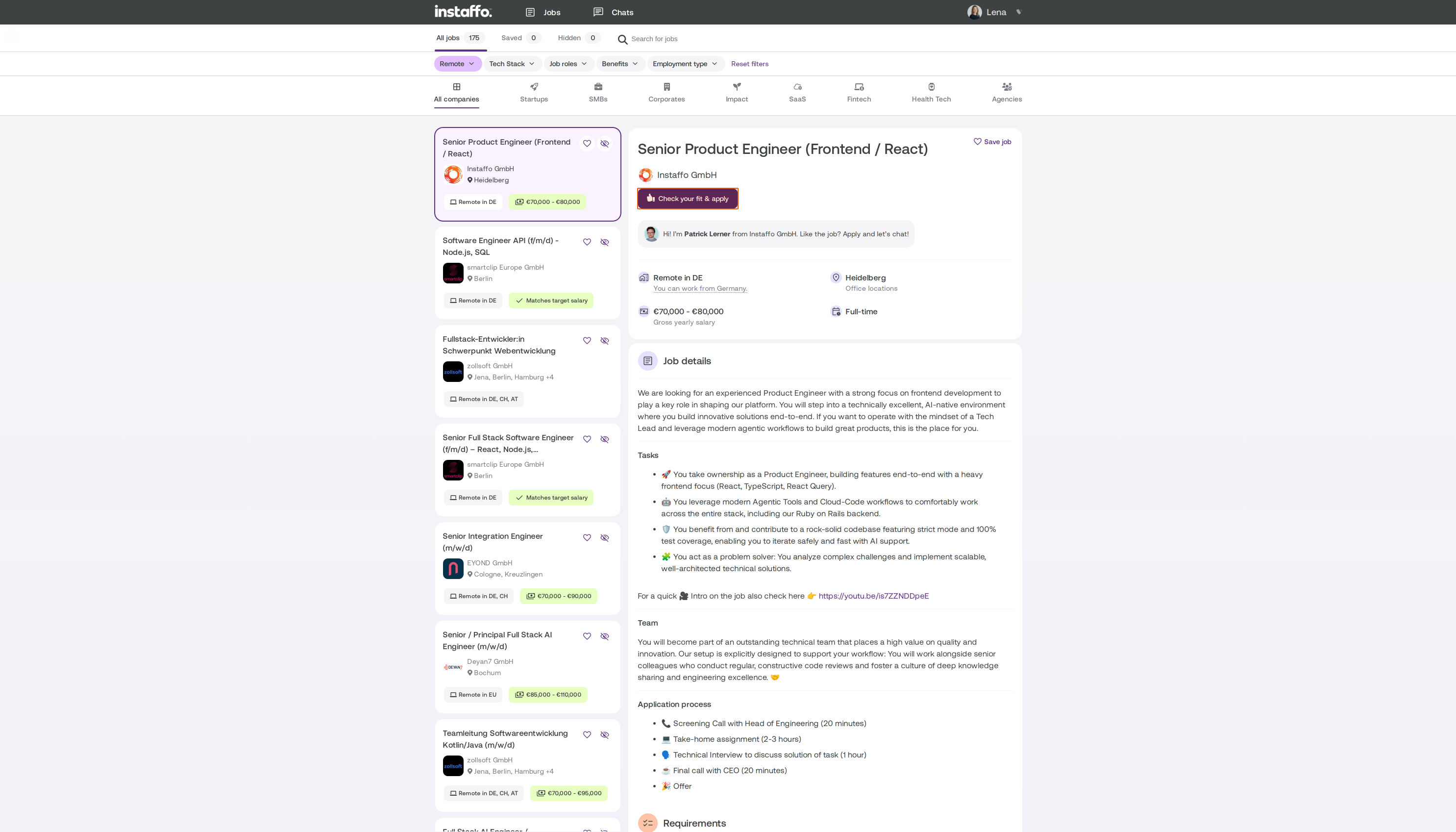
Open the job you’re interested in from your job suggestions.
-
Click Prüfe deinen Fit & bewirb dich.
-
Answer the short questions. Which questions you’ll see depends on the job.
-
Click Bewerbung starten.

Will my résumé be sent?
Yes. The company will see your profile, including your résumé and your answers to the questions. If a job asks for your salary expectations, that information will also be shared with the company.
What happens after I apply?
The company reviews your application: You’ll see “Chat öffnet sich erst nach Annahme” (Chat opens only after acceptance). The chat will open as soon as the company accepts your application. This usually takes 2 to 3 business days. You can then upload your cover letter, references, or other documents in the chat.
Did you get a job suggestion by email?
Simply replying to the email won’t reach the company. Open the job using the link in the email and apply there. The same goes for all other messages: always message companies in the Instaffo chat.
A company has contacted you
Sometimes companies message you directly. You’ll find their request in your chats.
-
Select Interessiert to apply for the job.
-
Select Kein Interesse to decline the request.
Requests expire after 7 days, so it’s best to reply soon.
Related articles
Also searched as: submit application, send application, cover letter, send documents, job suggestion by email, company request, Interested, Not interested
 Powered by happysupport.ai