
How do I pause or delete my profile?
Pause or delete your Instaffo profile in your settings to stop job suggestions and notifications, or permanently remove your account and data

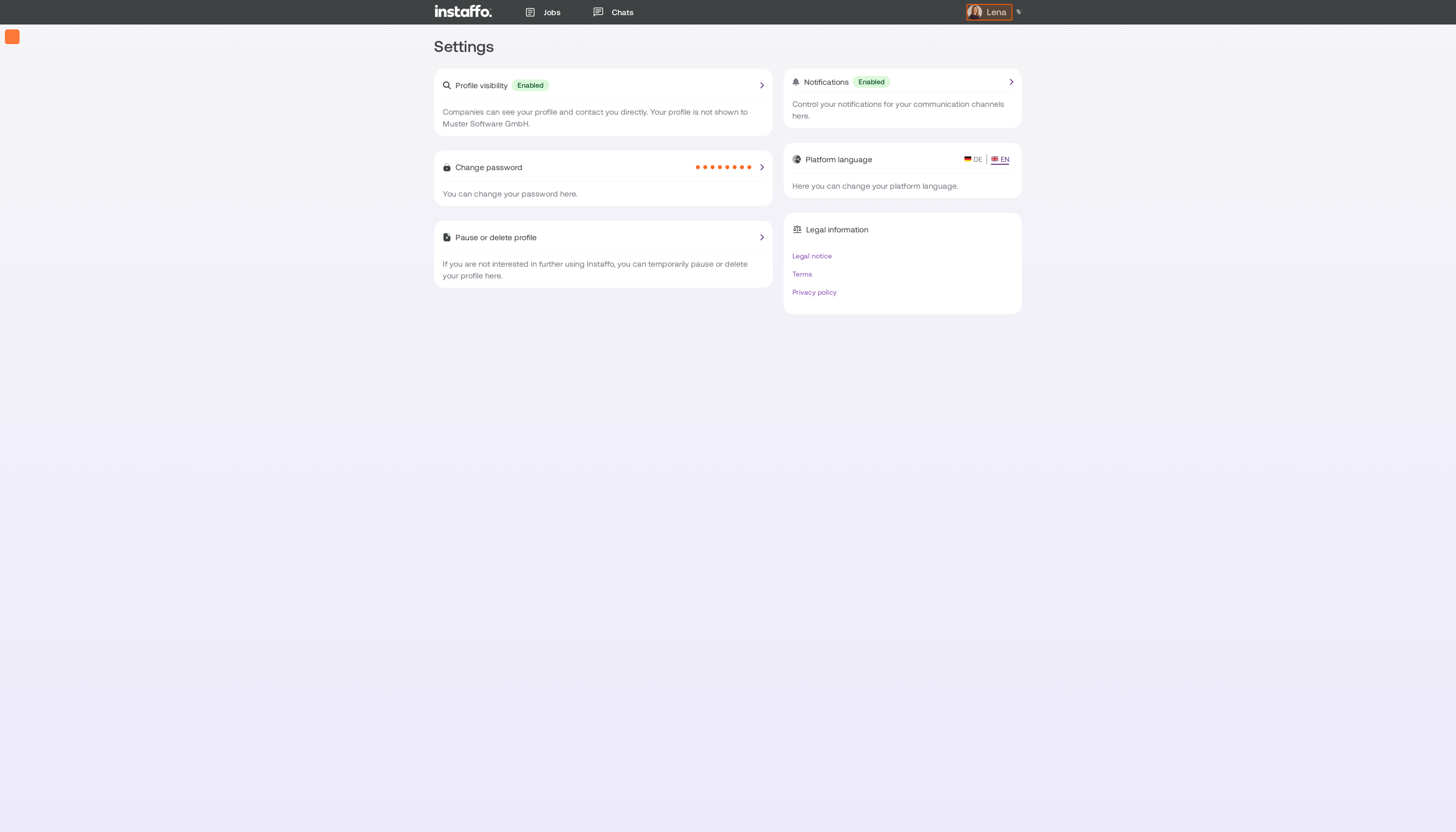
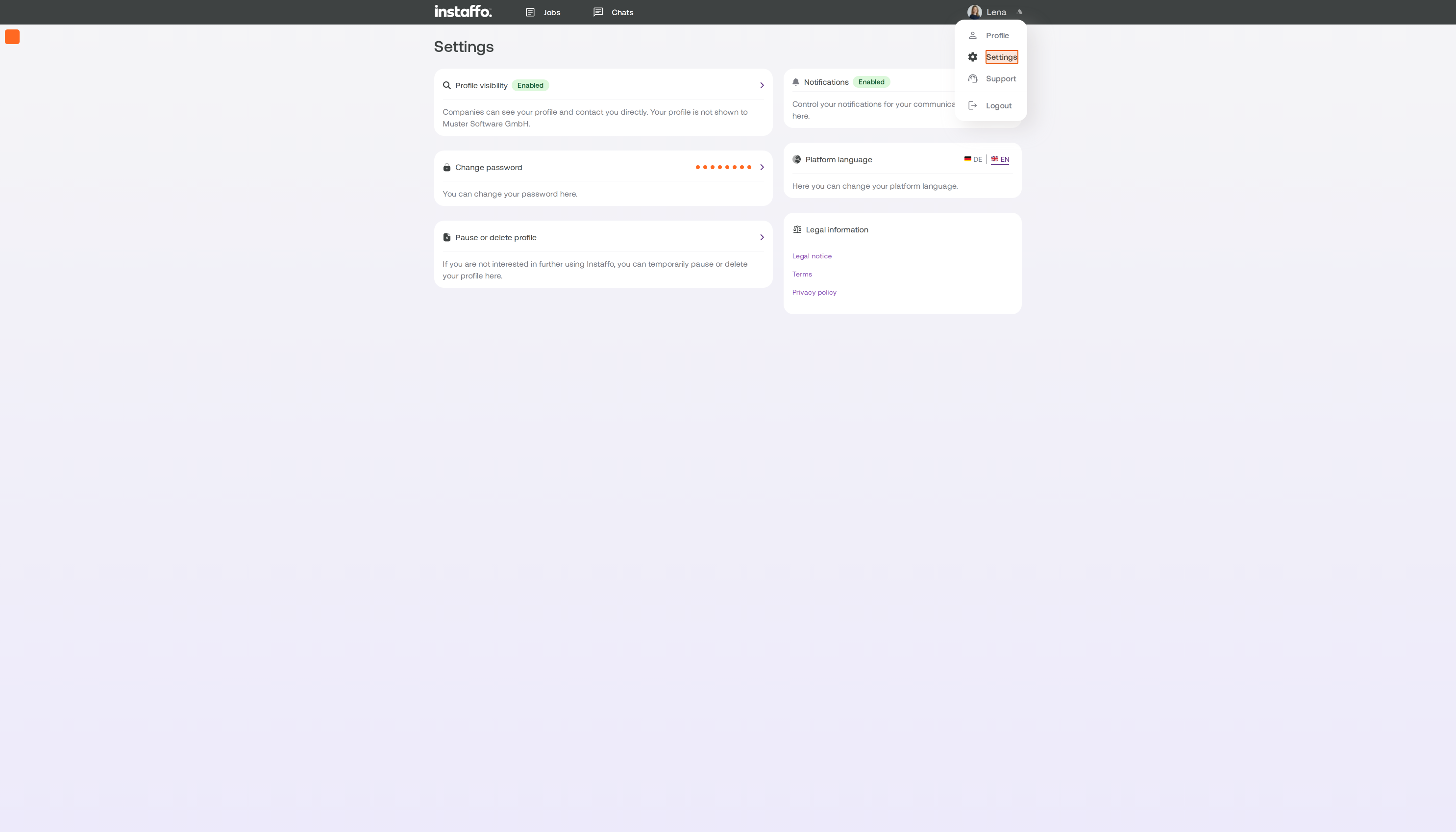
Not looking for a job right now, or no longer want to use Instaffo? You can pause or delete your profile. You can do both in your settings, under Profil pausieren oder löschen.
Pause or delete?
-
Pause: You won’t get any more job suggestions or notifications. Companies won’t be able to see your profile. Your profile will automatically become active again when the pause ends.
-
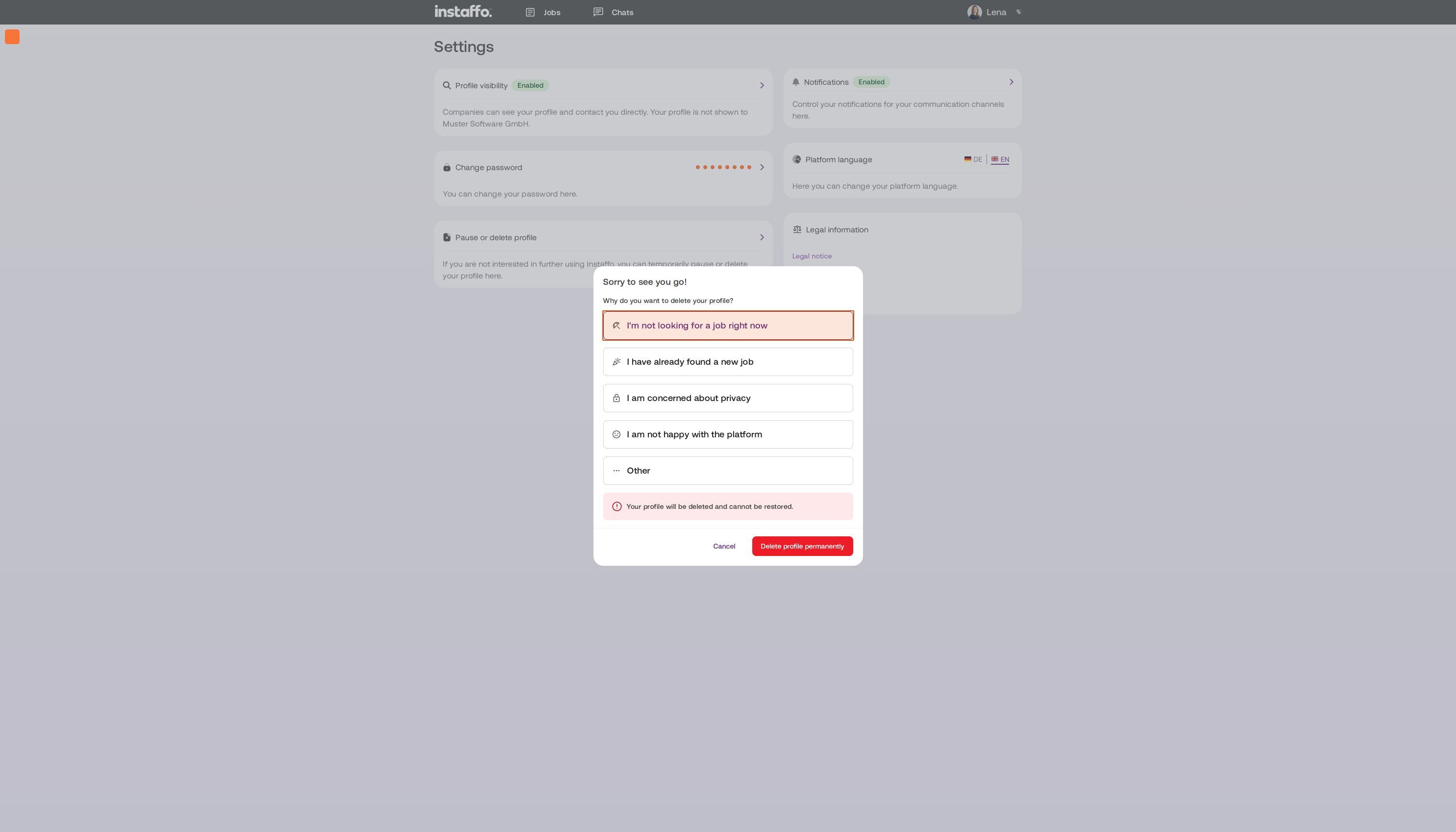
Delete: Your profile and data will be permanently deleted. This can’t be undone.
Pause your profile
-
Open your settings.
-
Click Profil pausieren oder löschen and select Profil pausieren.
-
Choose how long you want to pause your profile: 3, 6, or 12 months. Then provide a reason.
-
Click Profil pausieren.
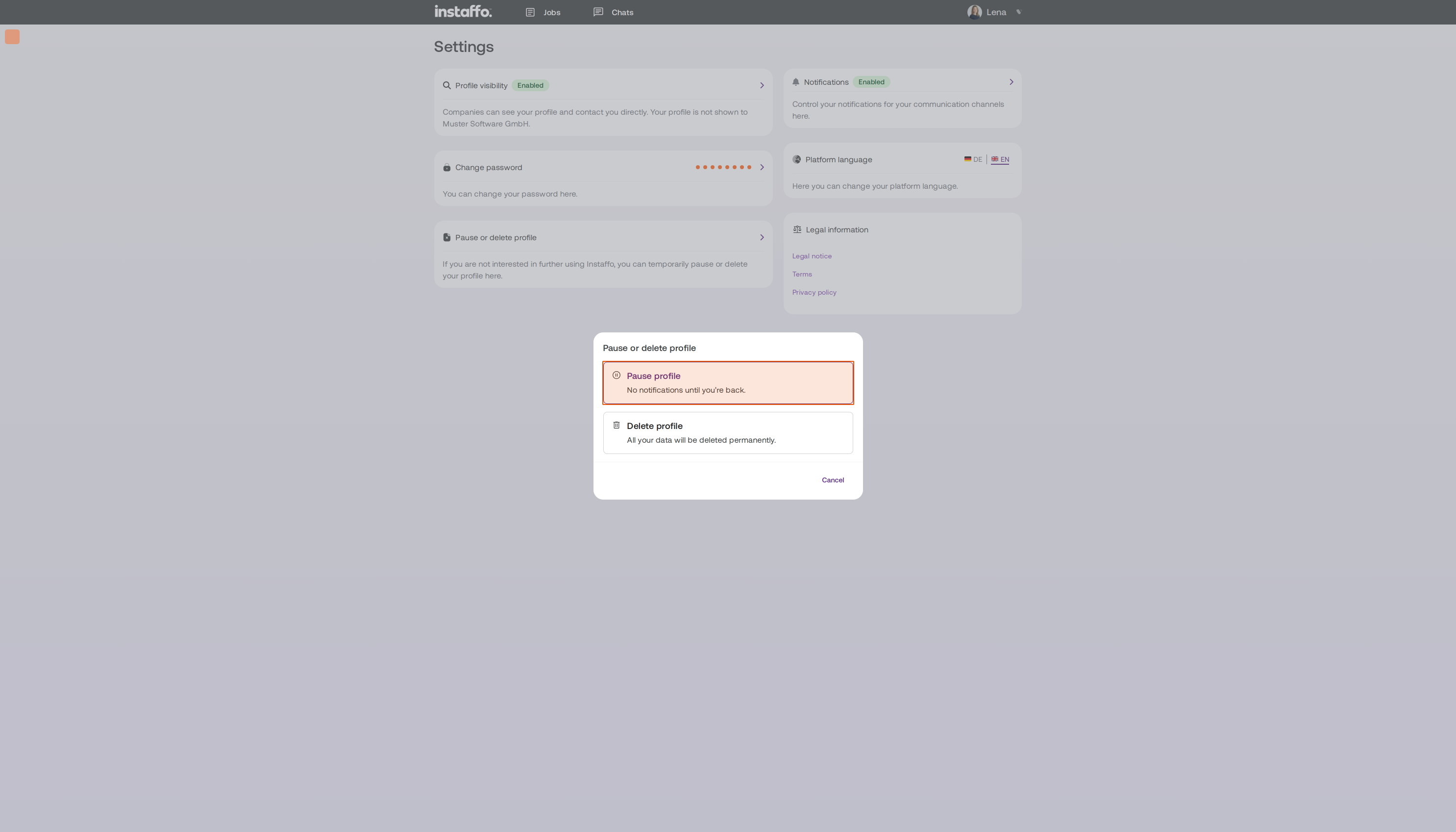
The pause ends automatically after the selected period. It also ends as soon as you apply for a job. Want to come back sooner? Open Profil pausieren oder löschen again and click Profil reaktivieren.
Delete your profile
-
Open your settings.
-
Click Profil pausieren oder löschen and select Profil löschen.
-
Provide a reason and click Profil endgültig löschen.
If you have any applications in progress, we’ll end them when you delete your profile and notify the companies.
Can’t access your account?
First, reset your password. Find out how here: I can’t log in or I’m not receiving a confirmation email
Related articles
Also searched for: delete account, delete profile, deactivate profile, delete data, cancel, log out, pause job search, no longer looking for a job
 Powered by happysupport.ai