
I've signed up with you - What's next?
Express interest in job listings and submit applications to start direct company communication on Instaffo.
After signing up with Instaffo, you can start your job search right away. In this article, you'll learn how to apply for interesting positions and make your first contact with companies.

Start your job search and applications
-
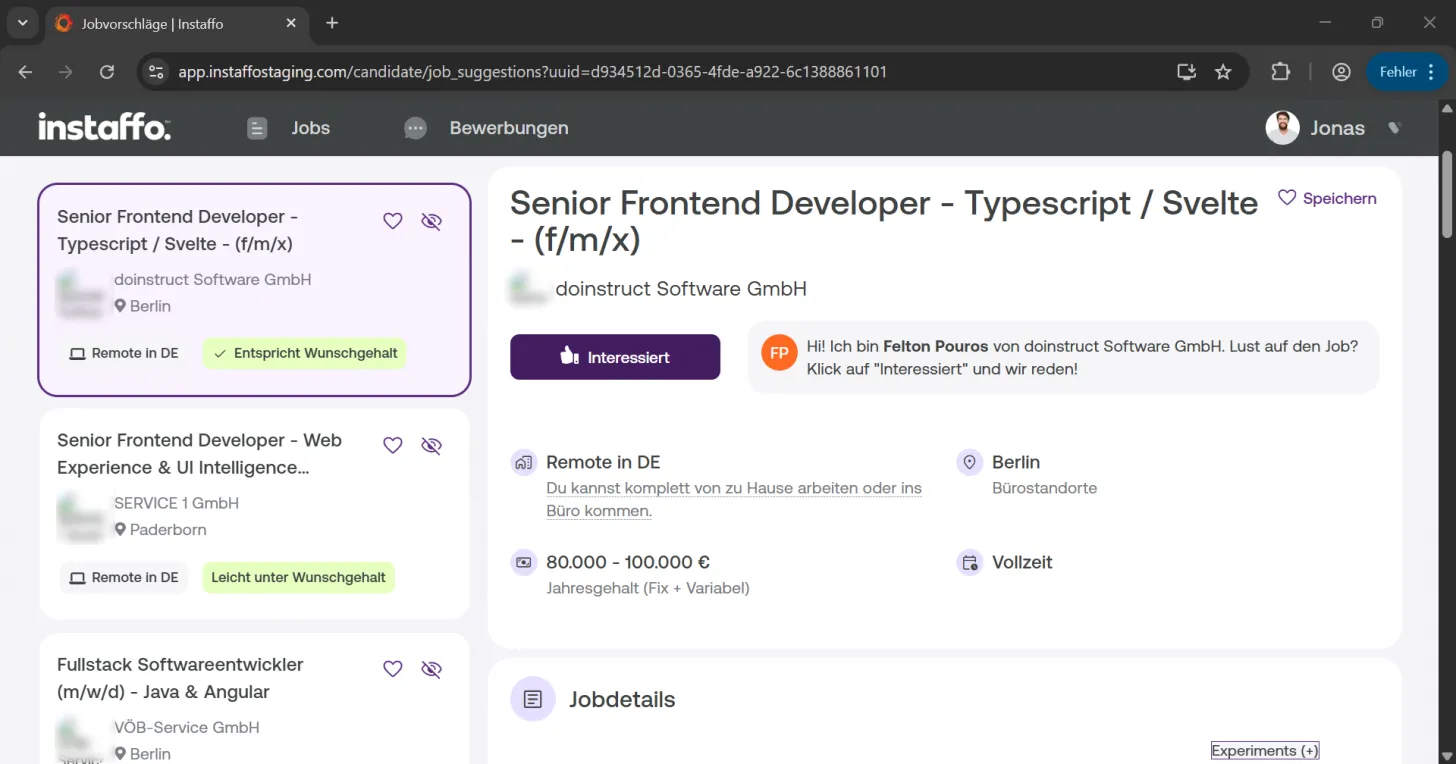
Browse jobs
Once you've filled in all the relevant details and profile information, you can freely browse through job suggestions. The job listings show you important details like salary, work location, and required skills. -
Express your interest
When you find a job that really interests you, click the "Interested" button on the job listing. This starts the application process for that position. -
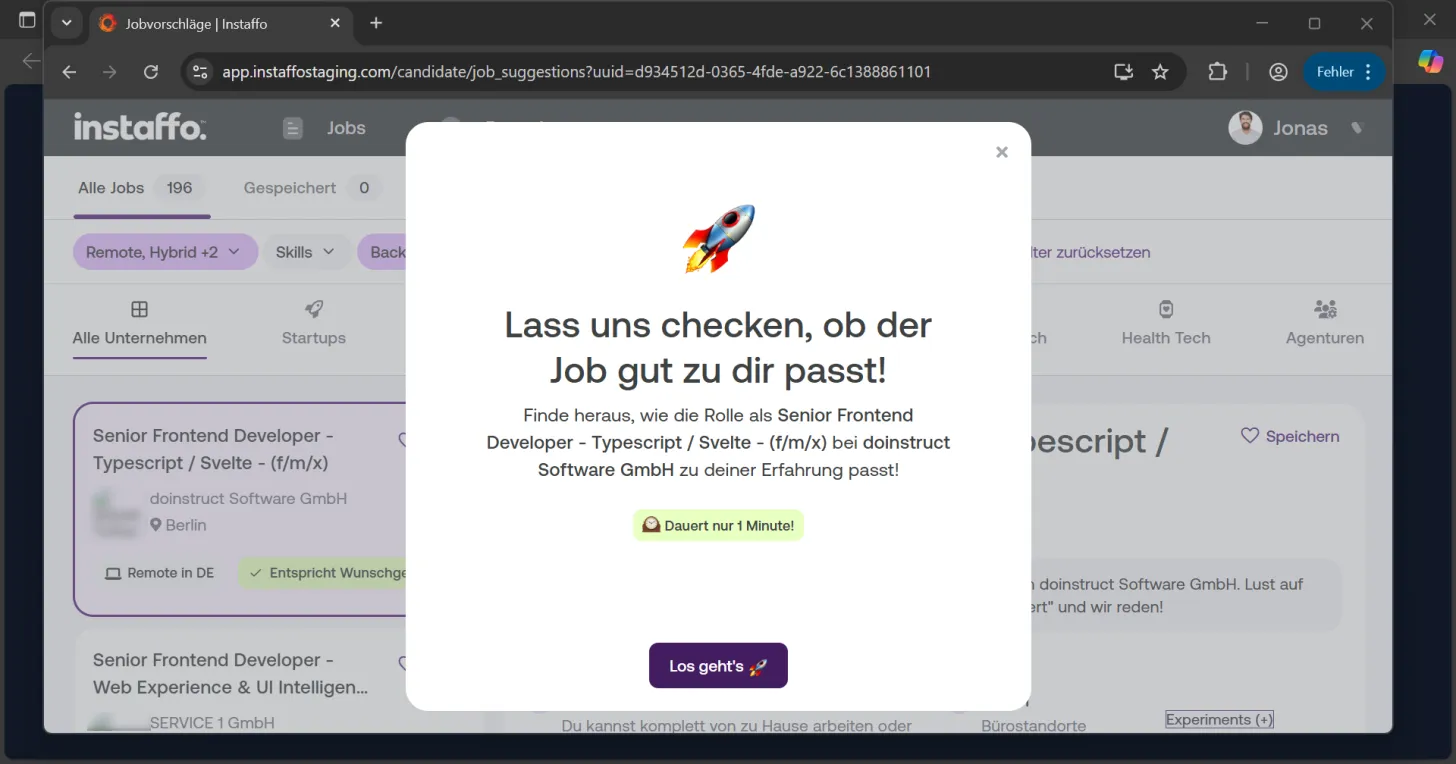
Begin the application process
After clicking "Interested", a window opens with the heading "Let's check if this job is a good fit for you!". Click on "Let's go 🚀" to continue with the qualification check.
Provide your qualifications
-
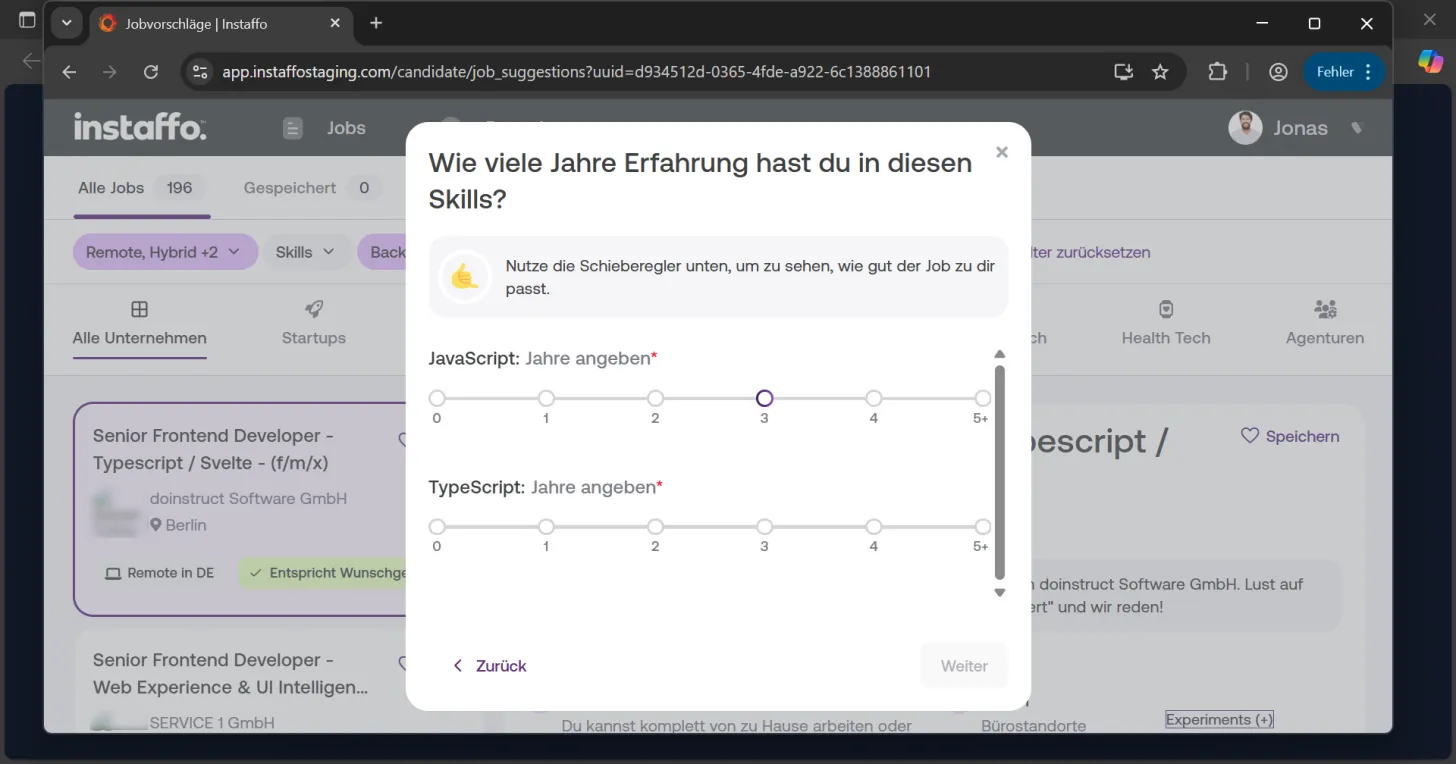
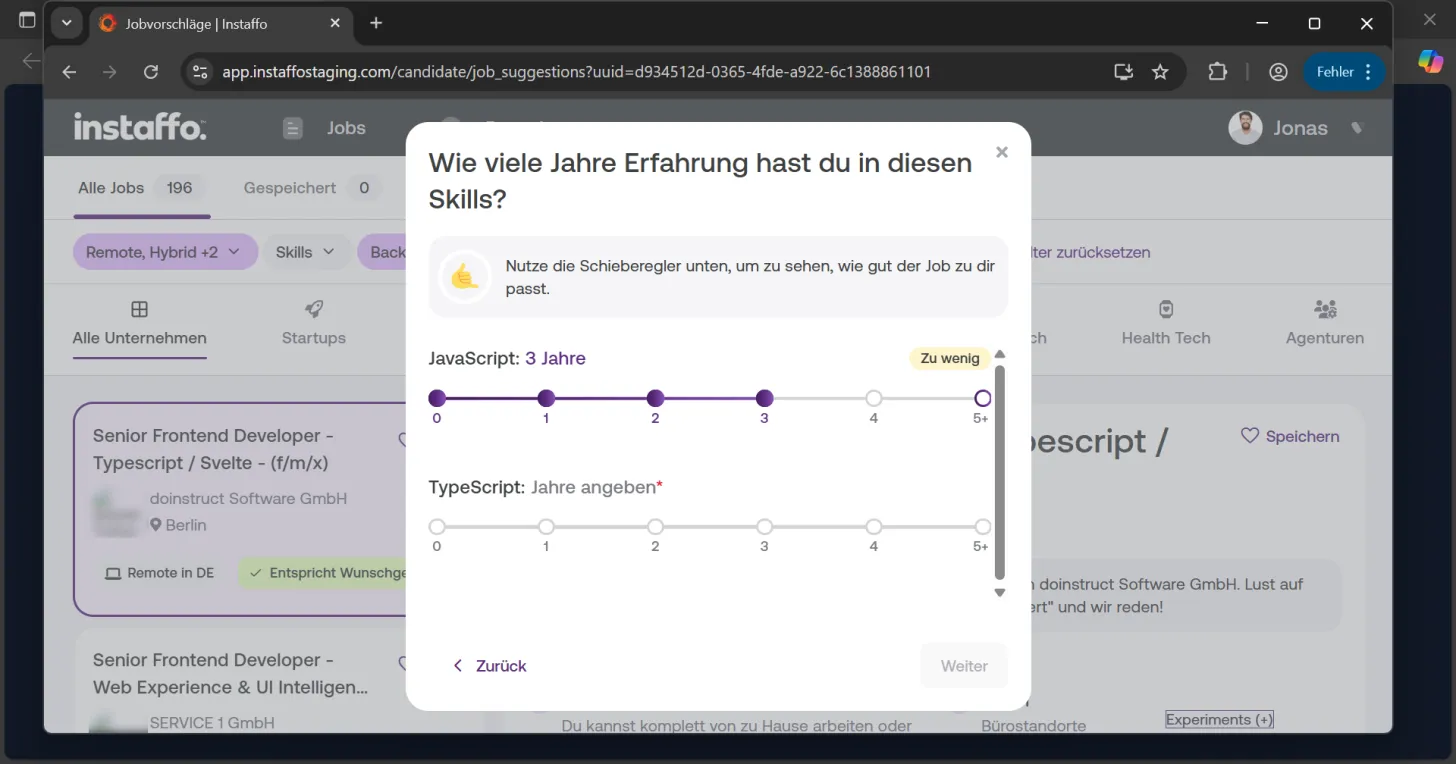
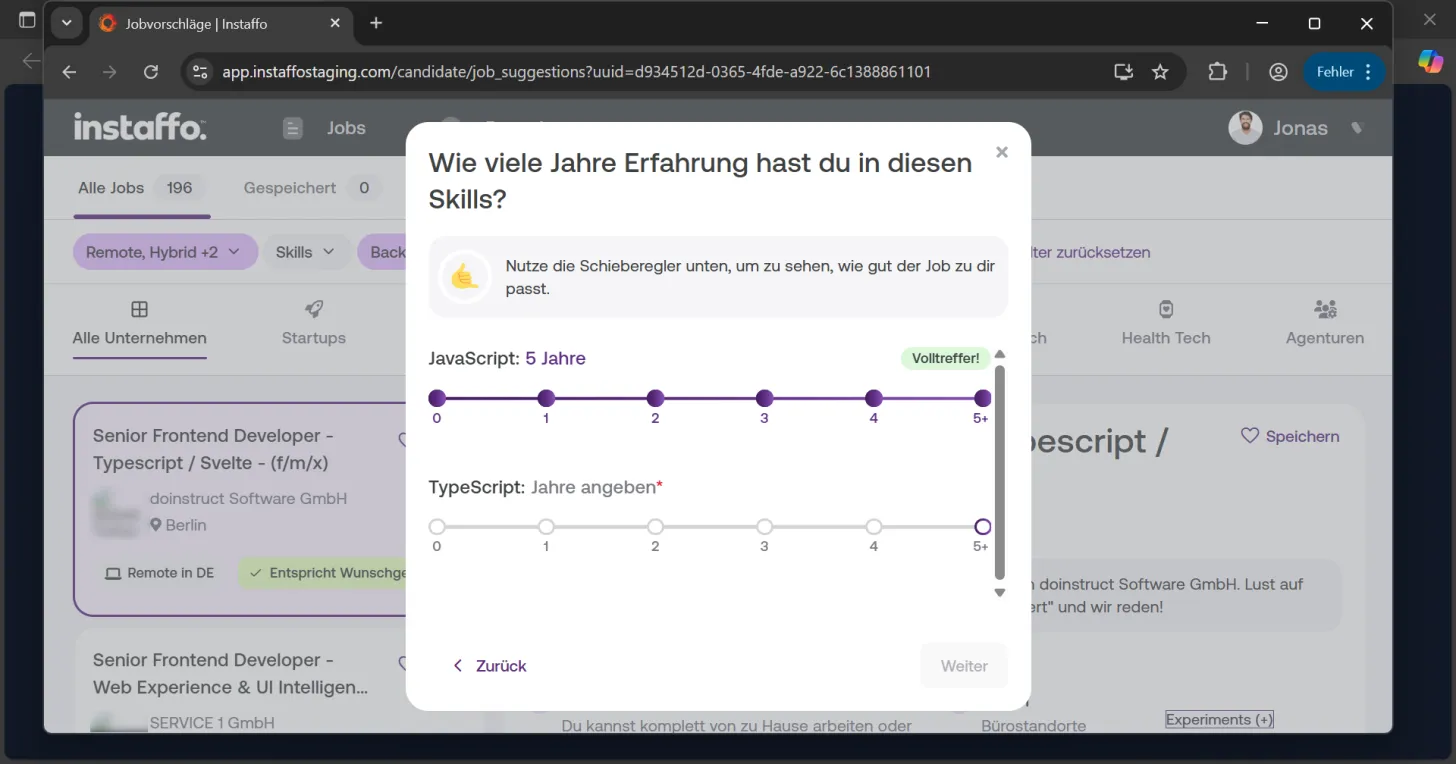
Set your years of experience
In the next step, you'll be asked about your years of experience in different skills. Use the sliders to indicate your years of experience. -
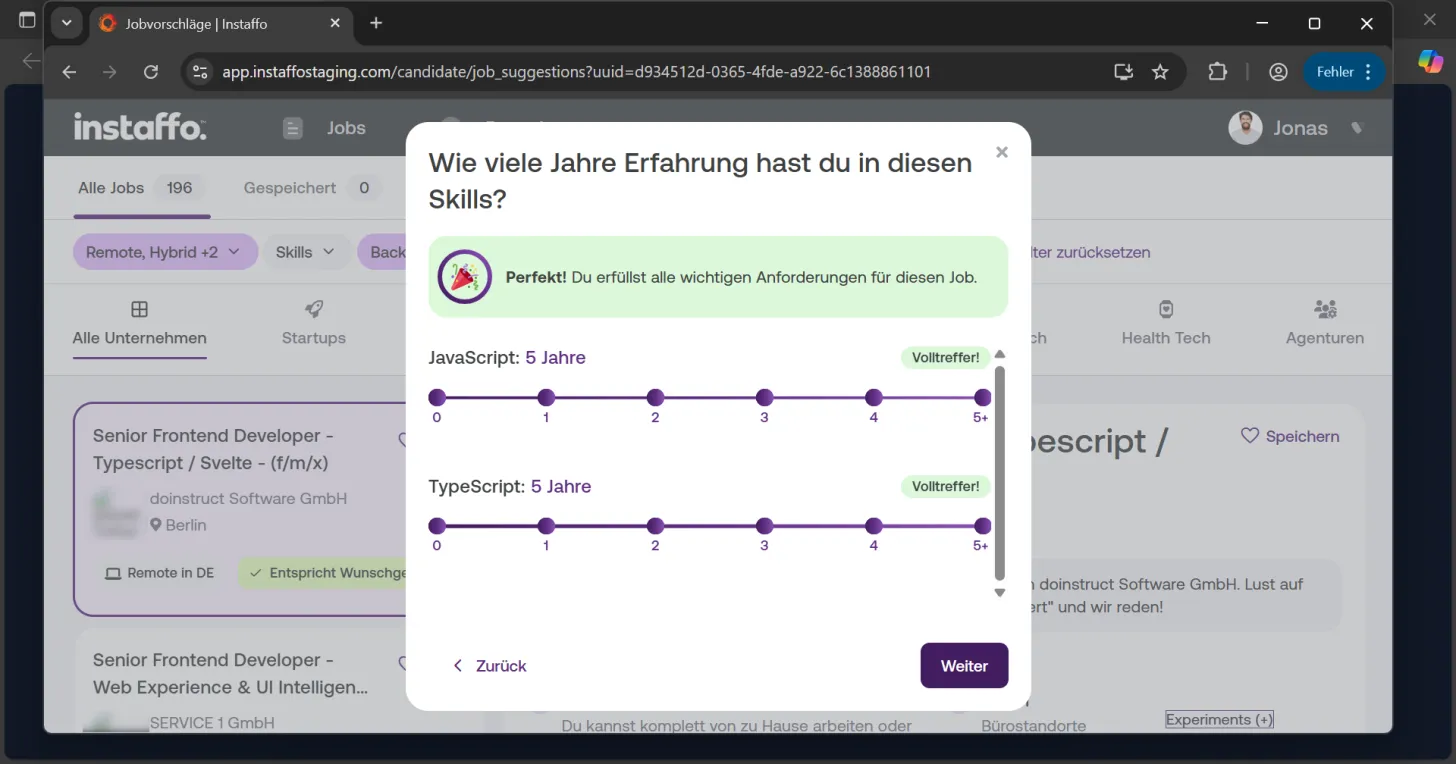
Complete the qualification check
Once you've provided all the required information, click "Next". If you mostly meet the necessary requirements, you can proceed with your application. -
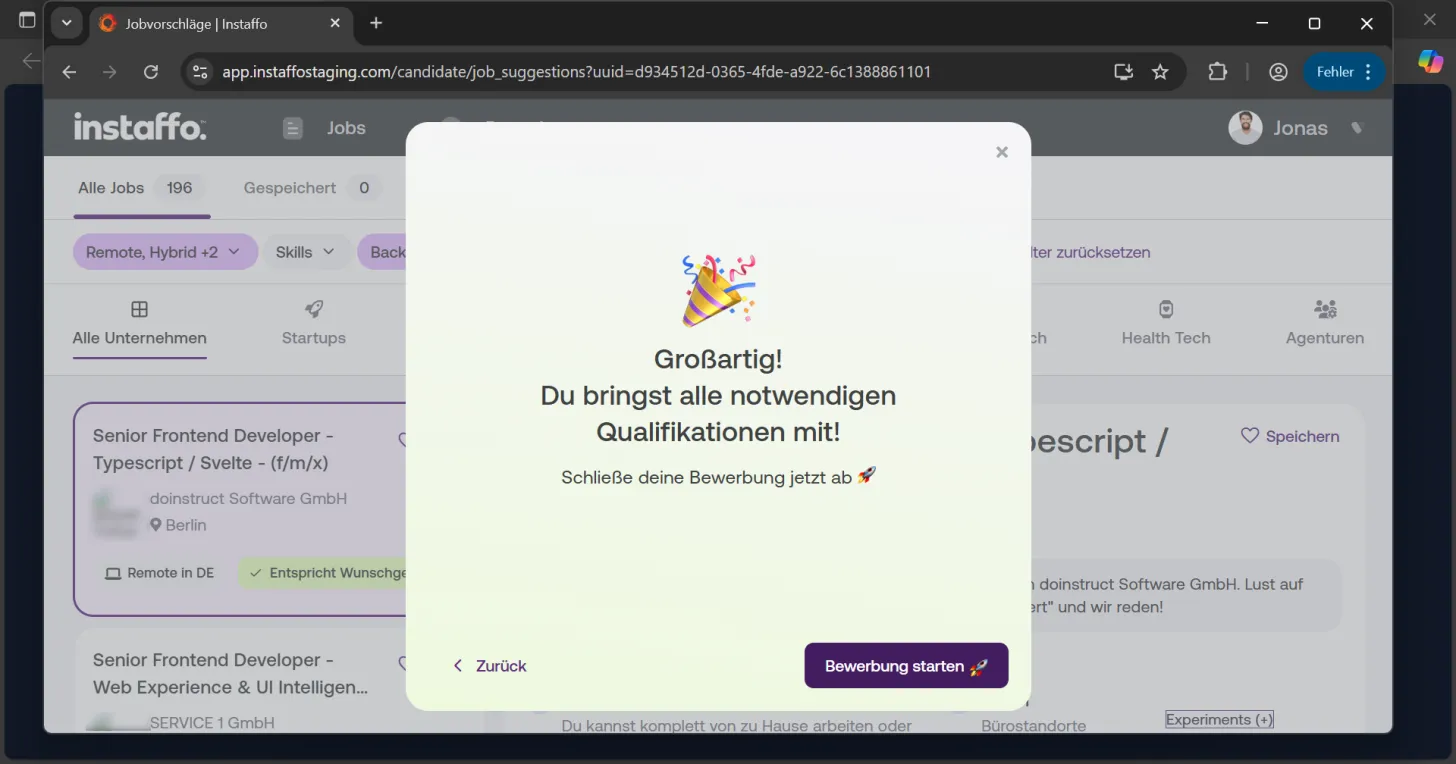
Submit your application
Once your qualifications are confirmed, you'll see the message "Awesome! You have all the necessary qualifications!". Click on "Start application 🚀" to submit your application.
Contact with the company
-
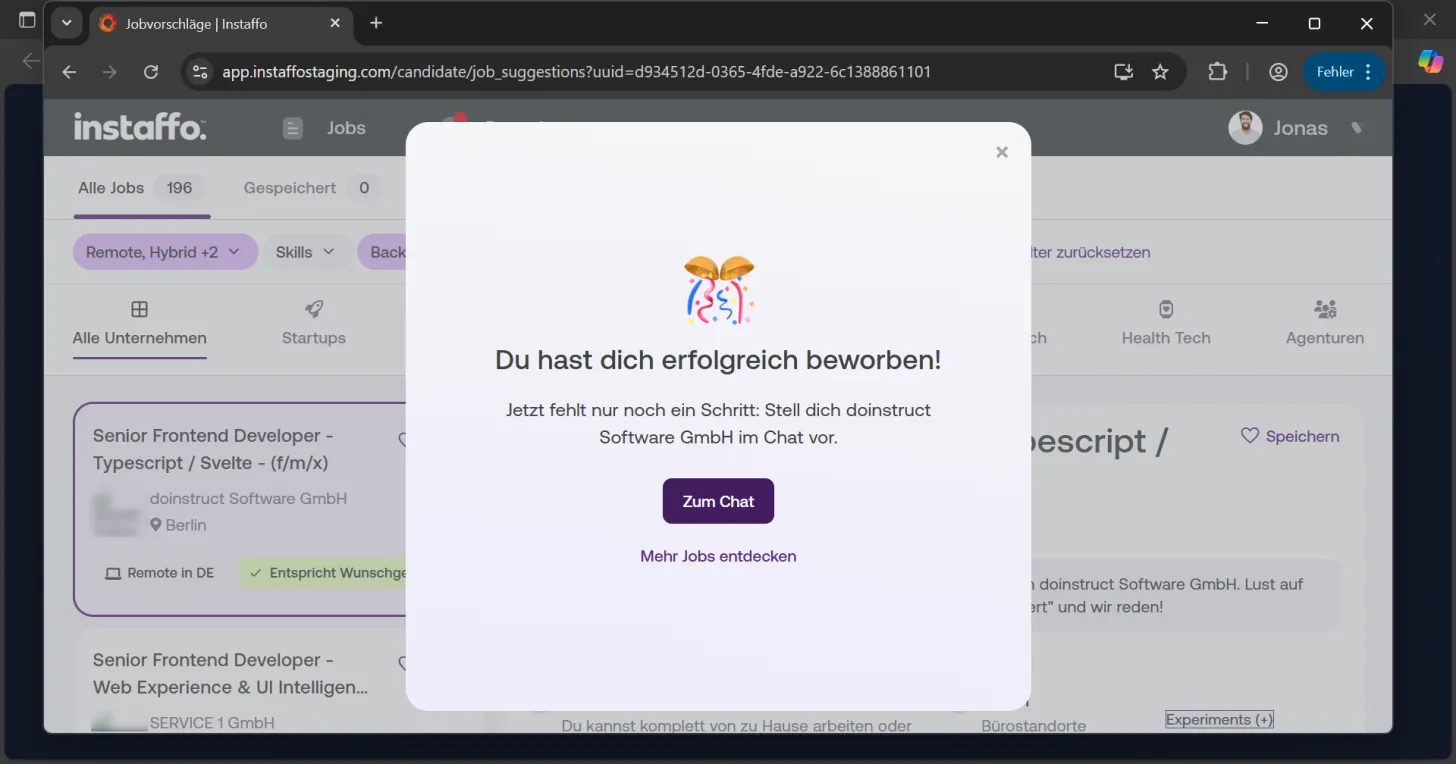
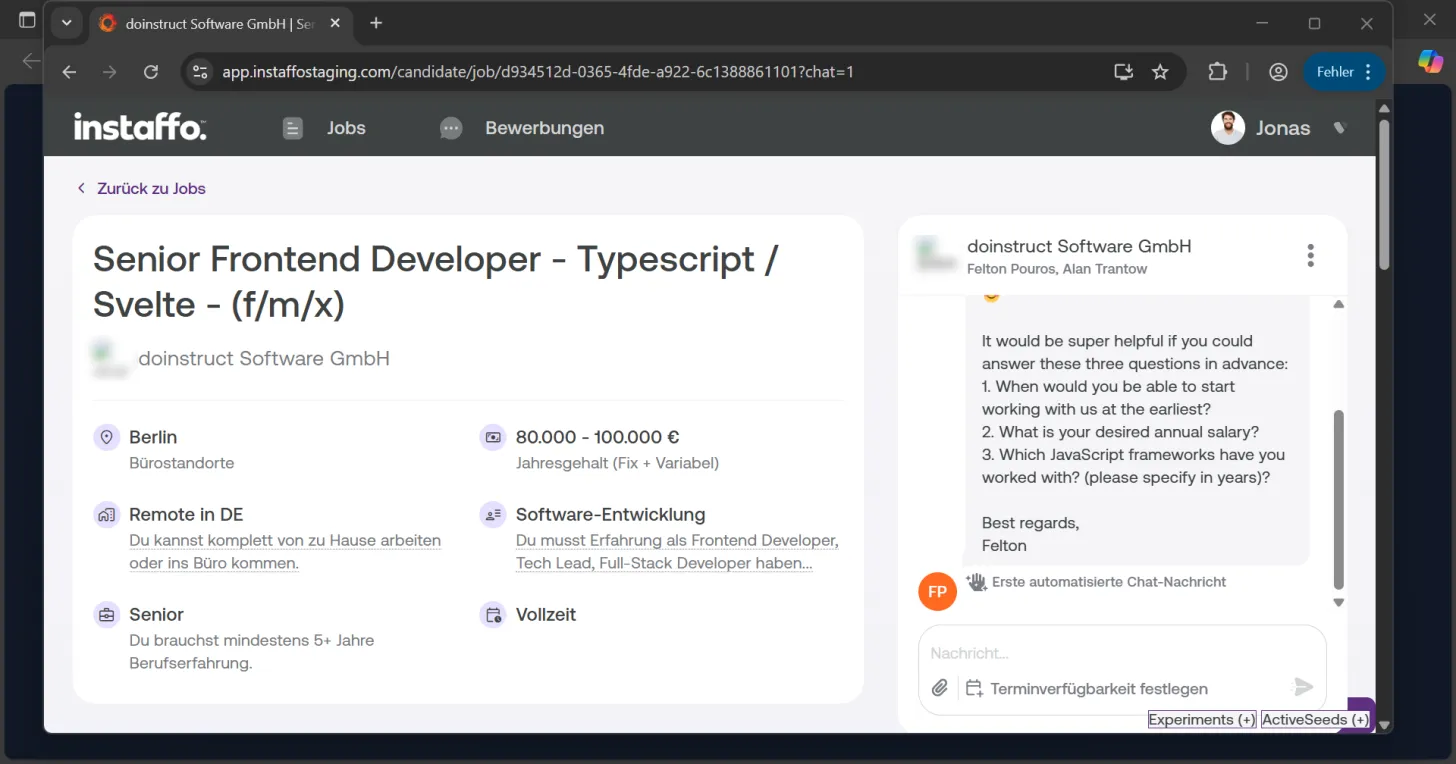
Open the chat
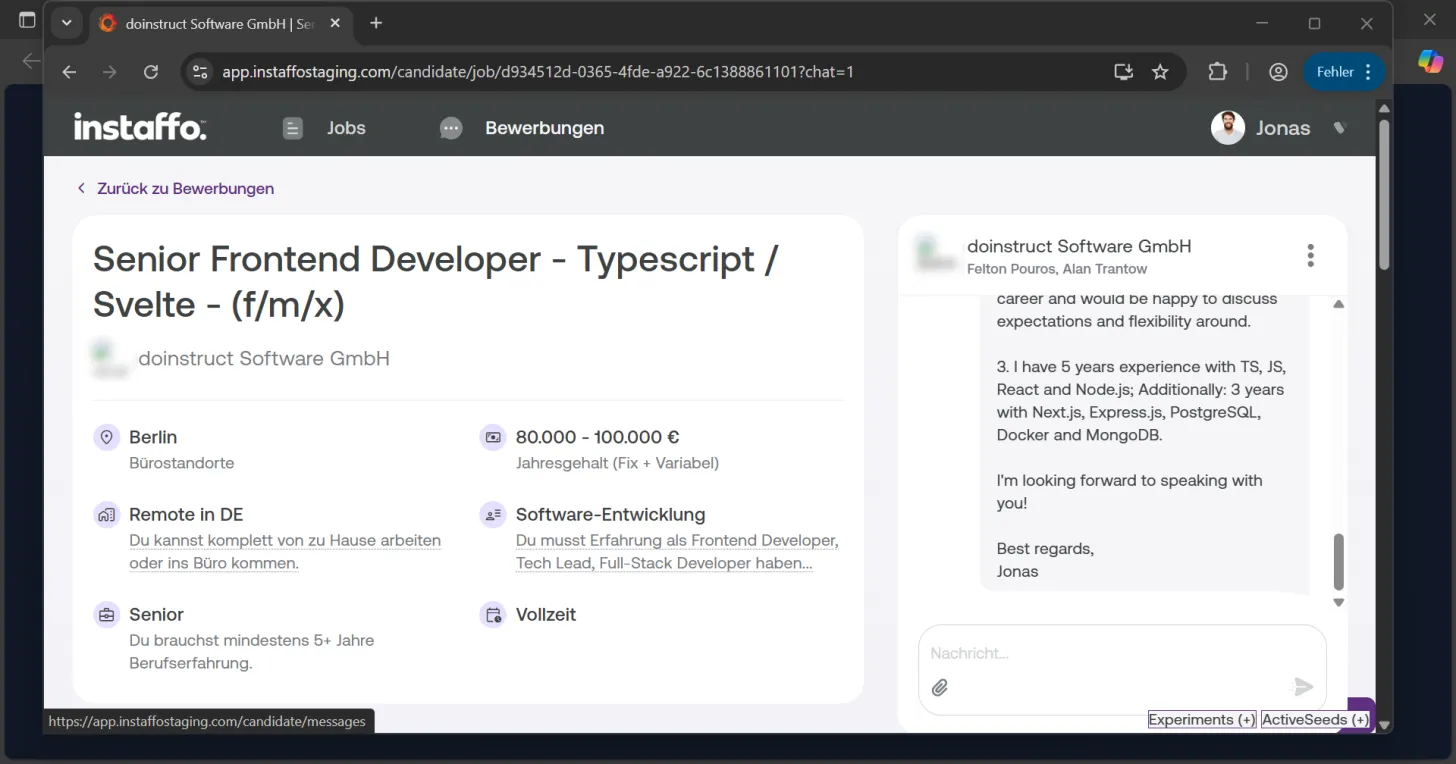
After successfully submitting your application, a confirmation appears. Click on "Go to chat" to start communicating with the company. -
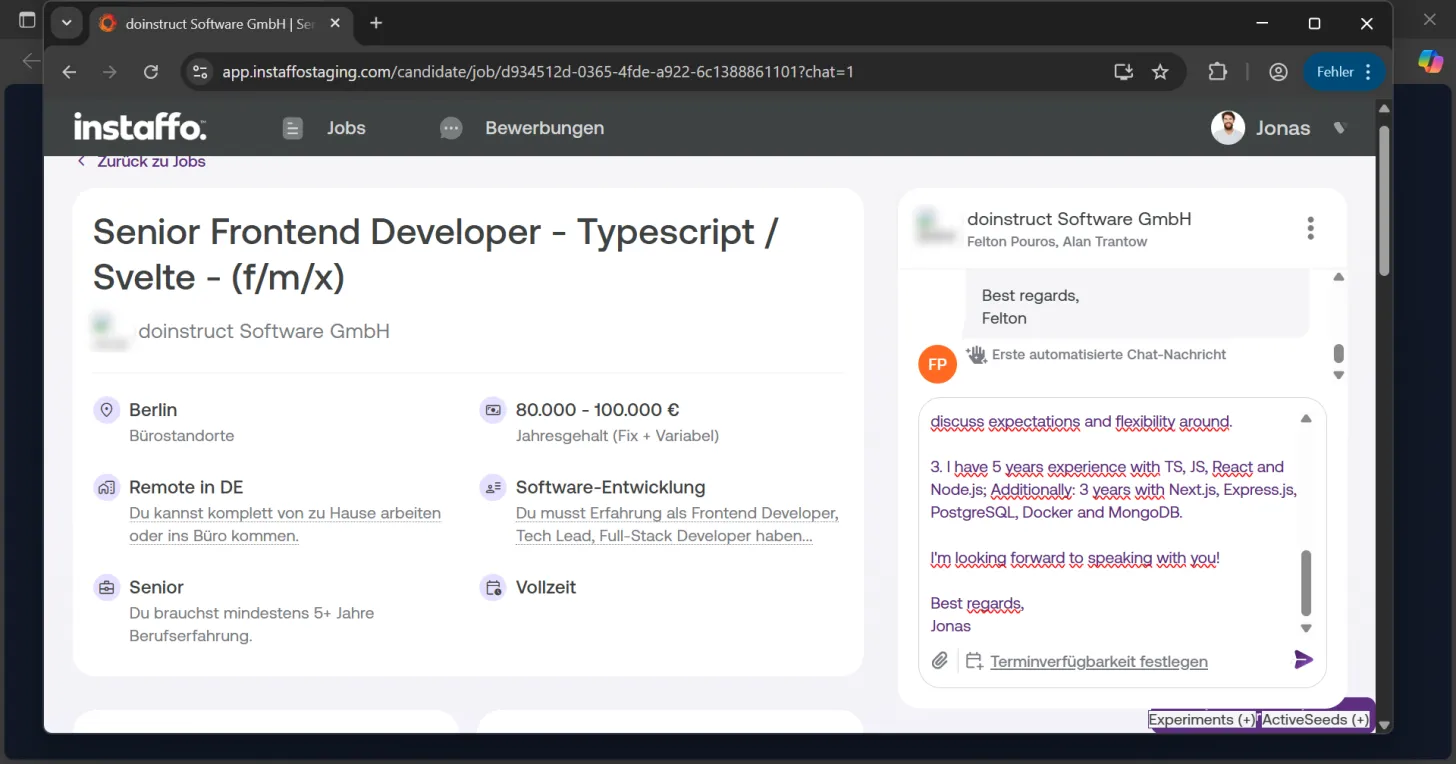
Write your first message
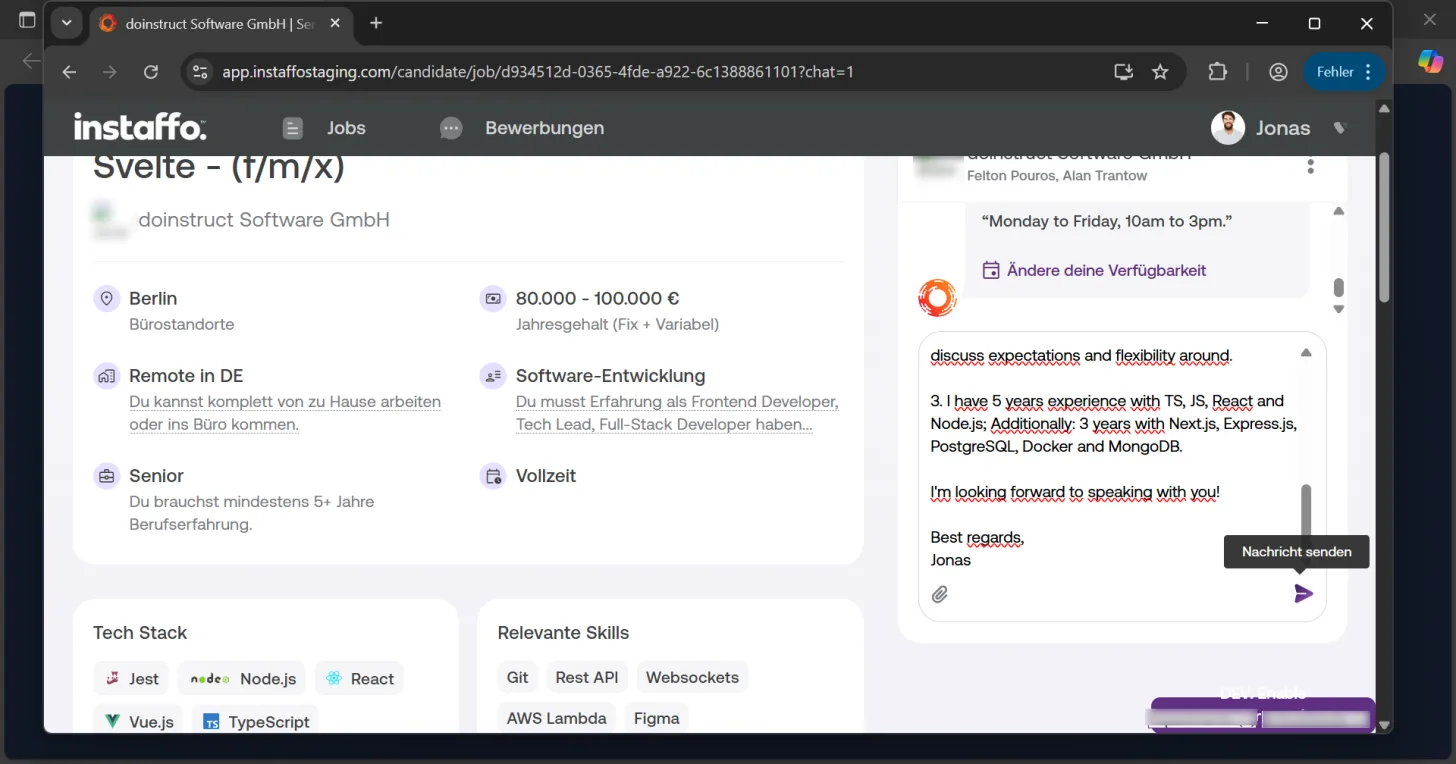
In the chat, you'll always receive an initial automatic message from the company. Answer their questions and introduce yourself briefly. Remember:- You're in direct contact with the company and the responsible contact person
- A short message is absolutely sufficient - no formal cover letter needed
- Highlight why you're a particularly good fit for the position
-
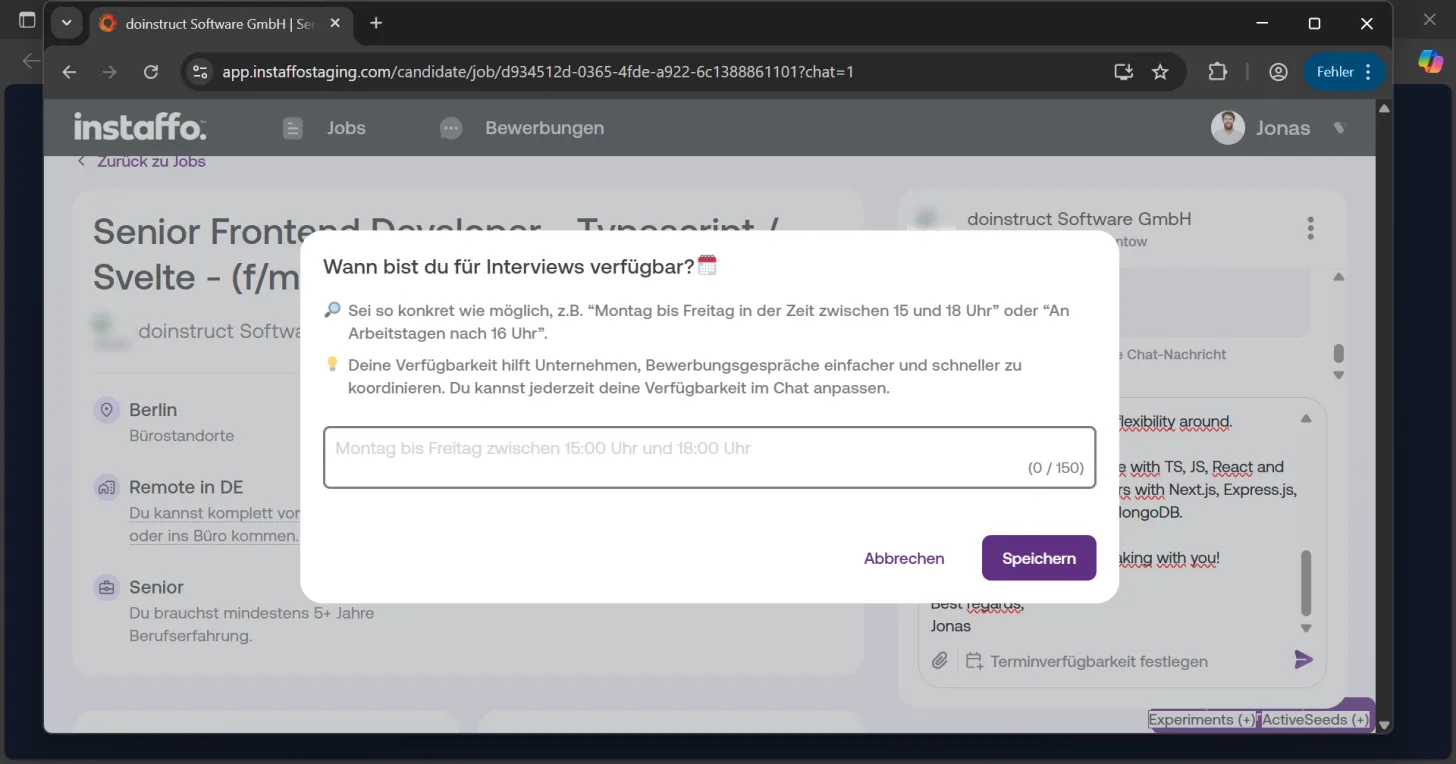
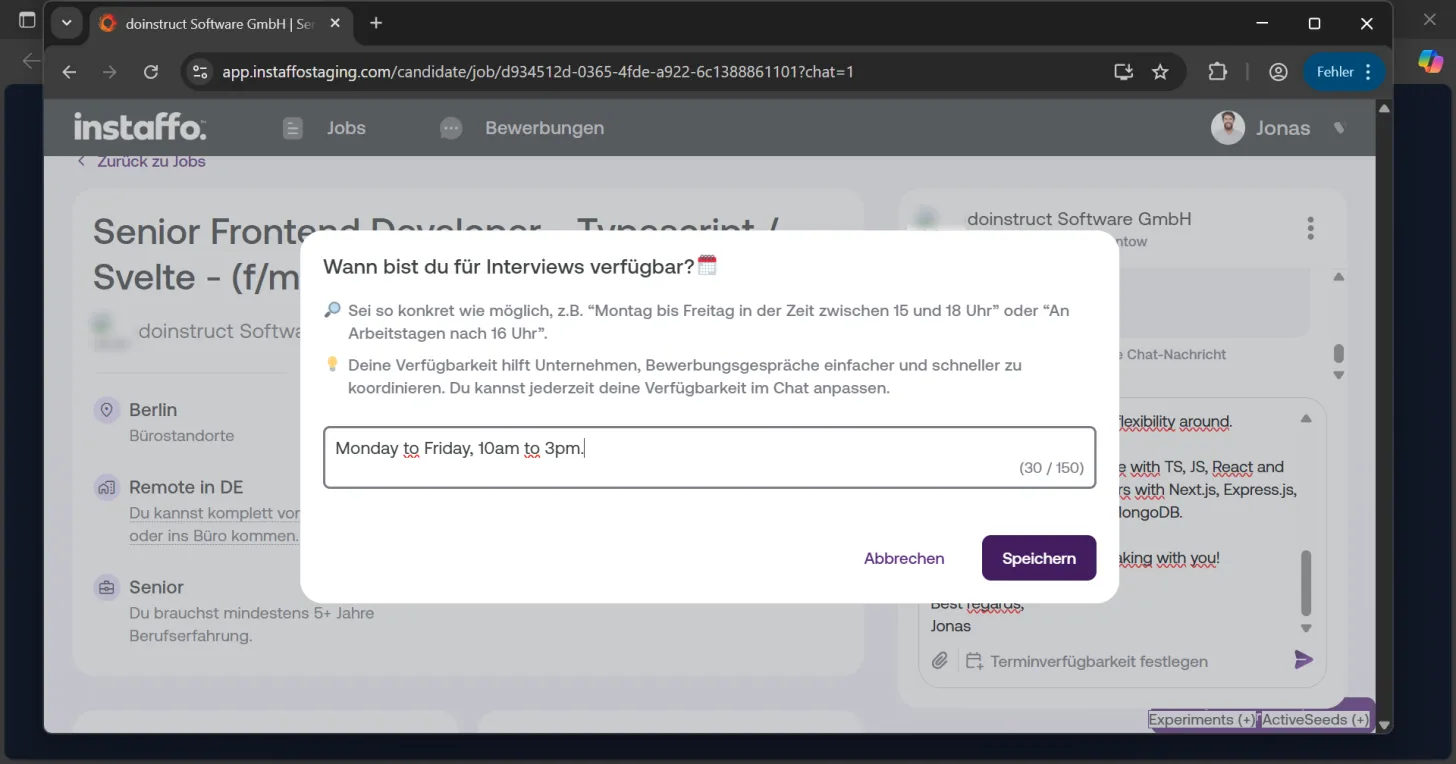
Set your availability
Click on "Set availability" to specify your interview times. Provide specific time slots, for example "Monday to Friday between 3:00 PM and 6:00 PM". Then click "Save". -
Send your message
Once you've finished writing your message, click the send button (arrow icon) in the chat to submit it to the company.
Manage your applications
- View your applications
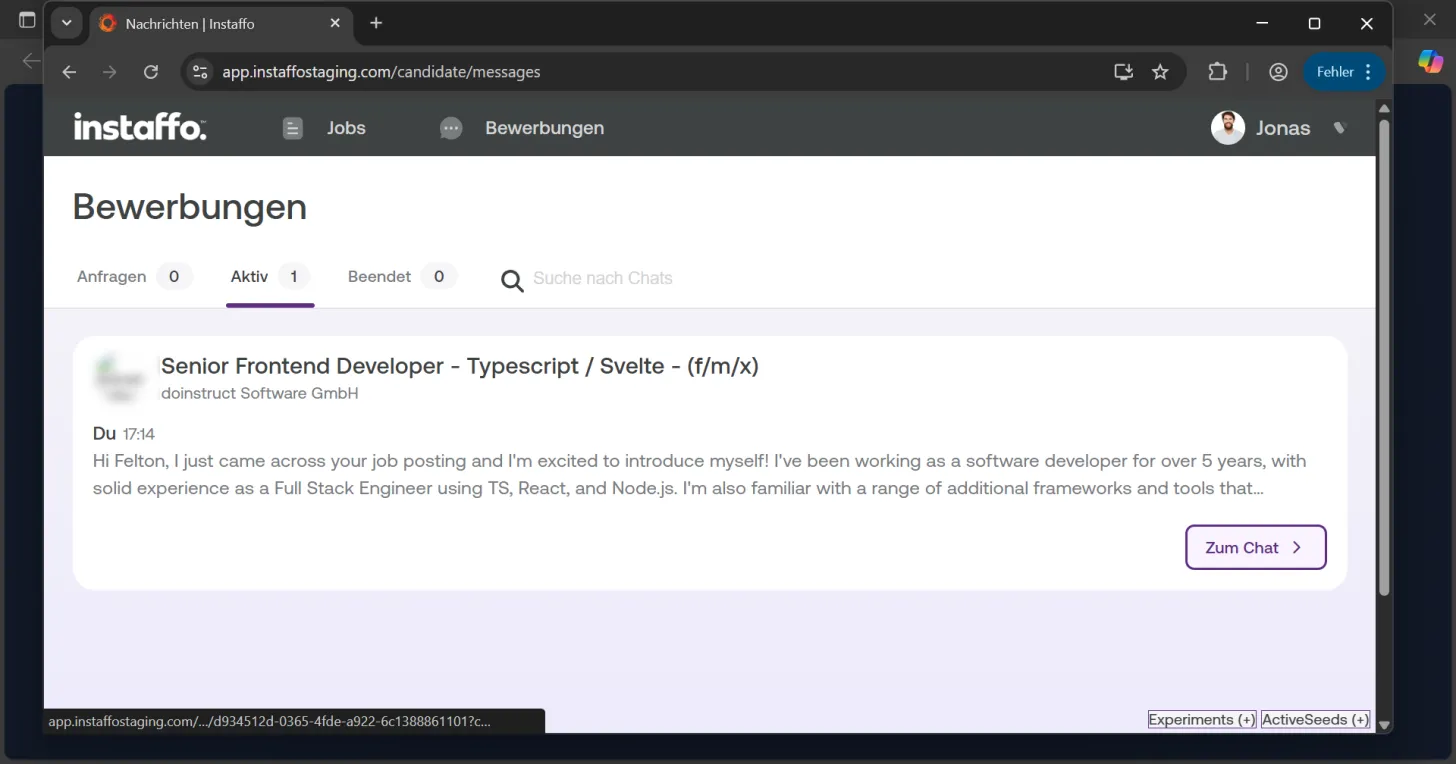
To check your ongoing applications, click on "Applications" in the navigation menu at the top. Here you'll find all your applications - both active and completed ones - and you can return to the chat anytime.
The company will review your application and get back to you as soon as possible. Usually, this takes about three to five business days. You'll be automatically notified as soon as you receive a response. Since this isn't a live chat, you can sit back and relax while you wait for their reply.
 Powered by happysupport.ai