
You sent me a job suggestion - what happens next?
Start a chat with the company using the Start Chat button to answer questions and set your interview availability with the hiring team.
If you've received a job suggestion from Instaffo, we'll show you what your next steps are and how you can get in touch directly with the company.
Open the job via the link
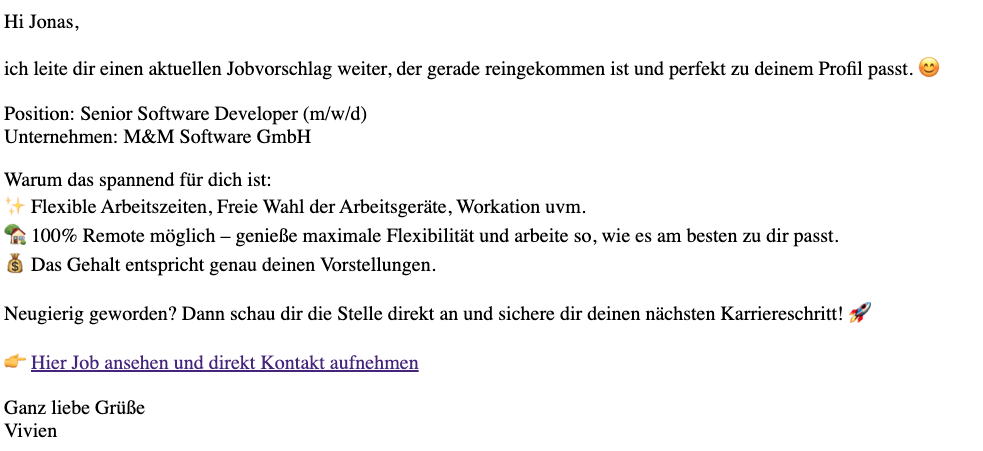
When you receive a message from Instaffo with a job suggestion, the message will always include a direct link to the job posting. Click on the link to see more details about the position and/or apply for the job.

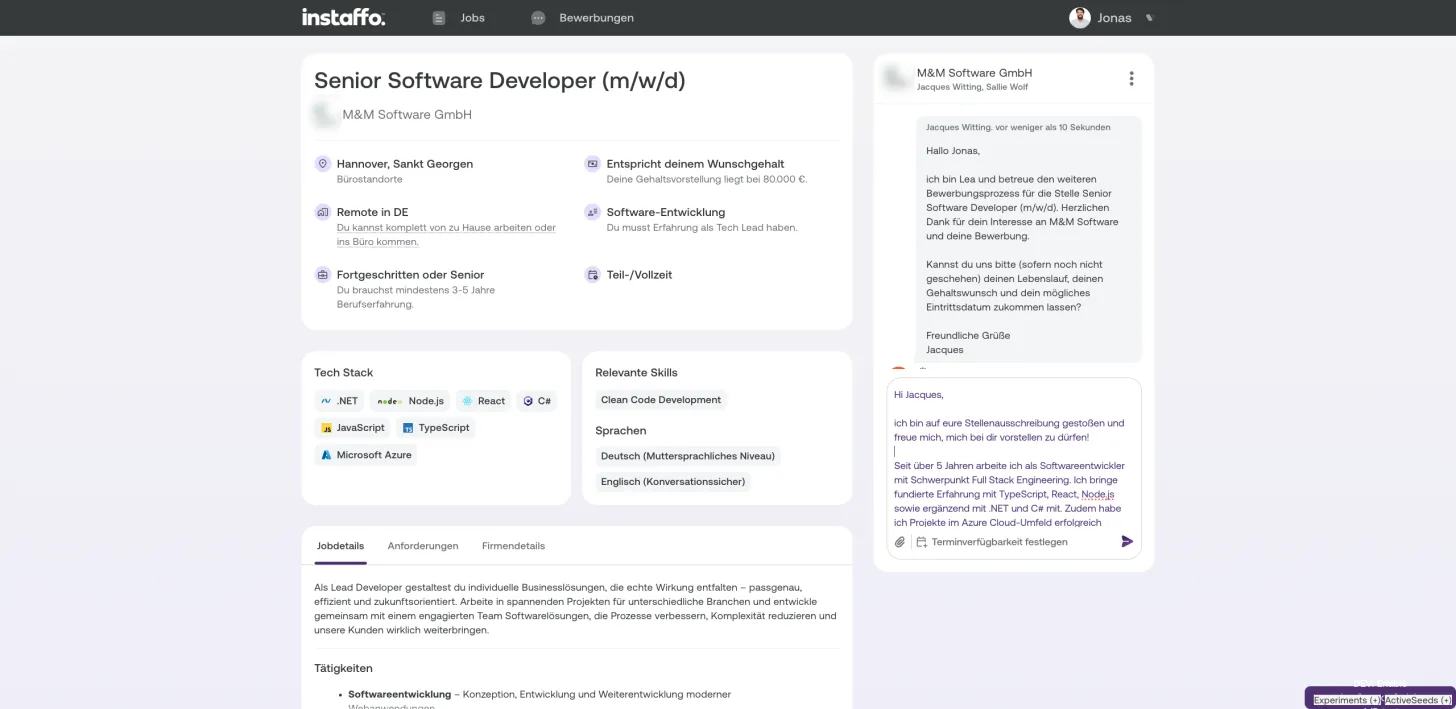
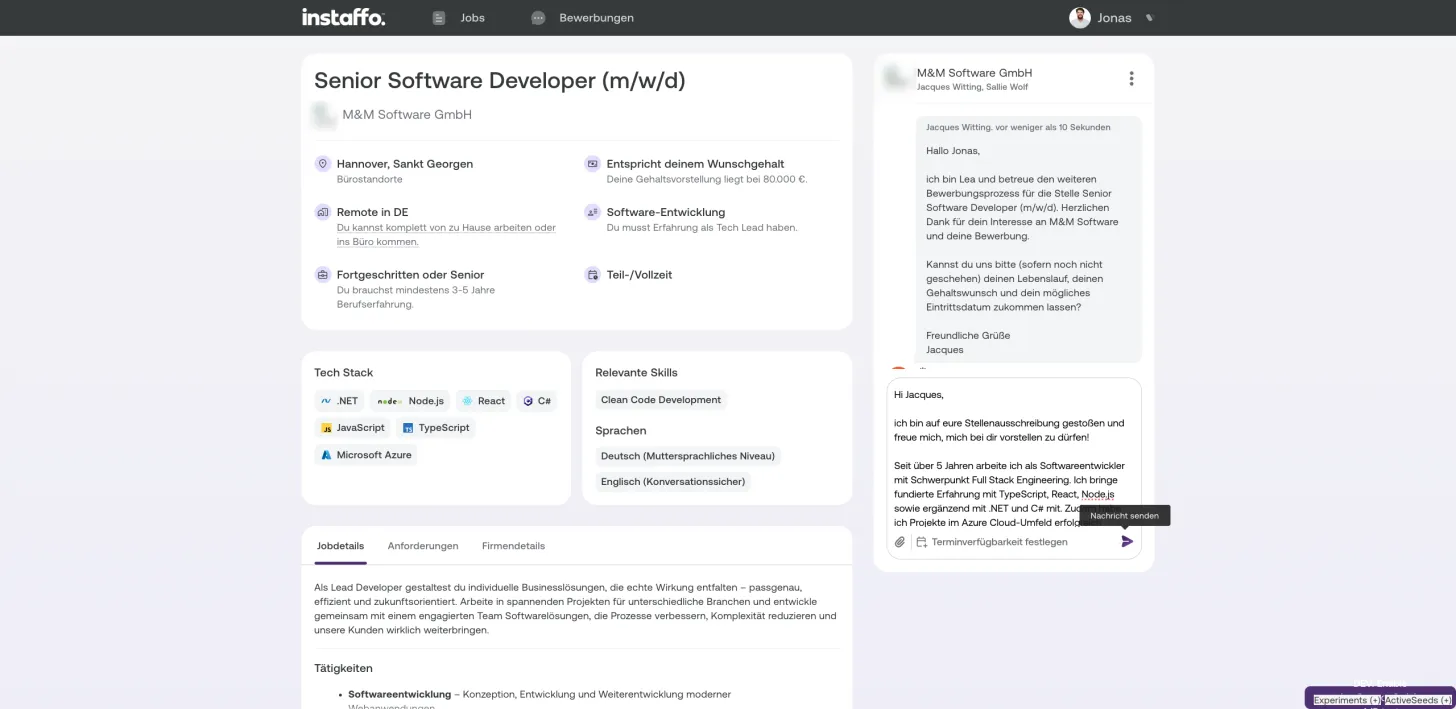
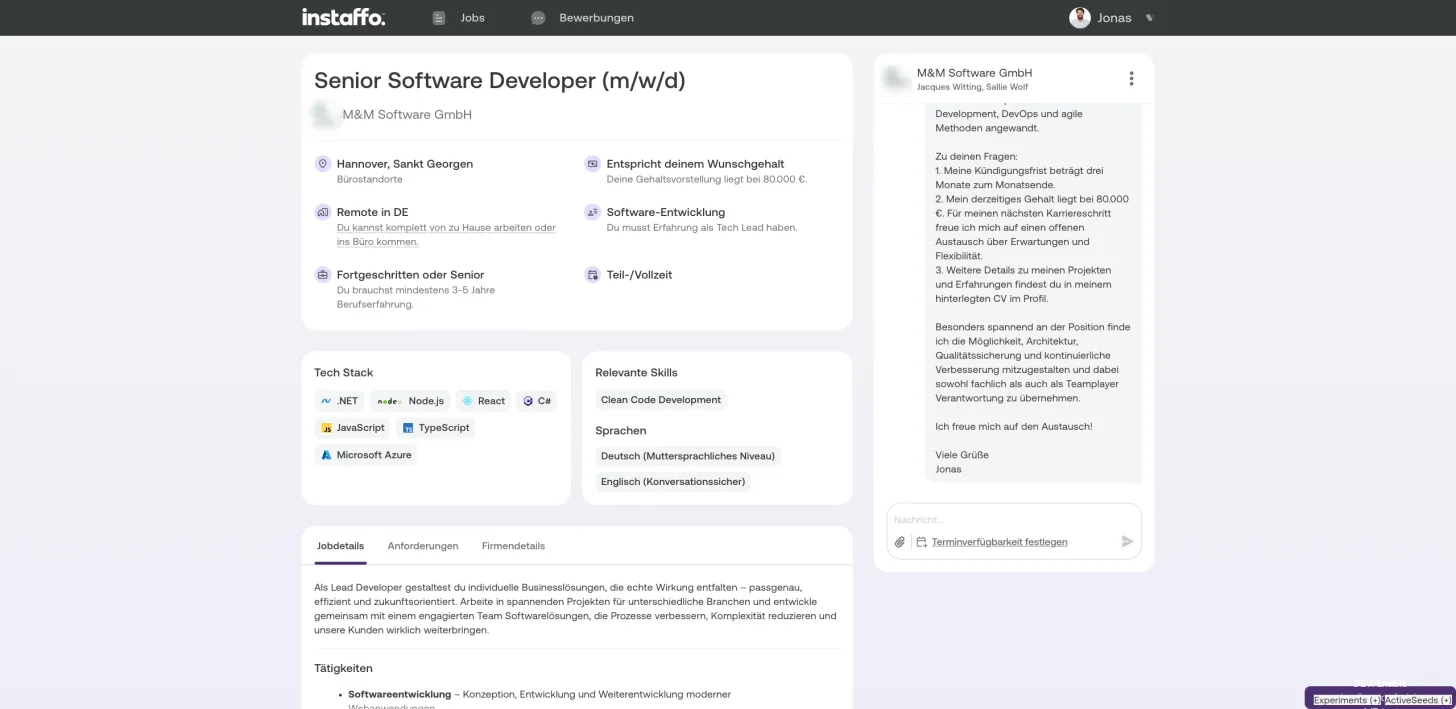
Start a chat with the company
-
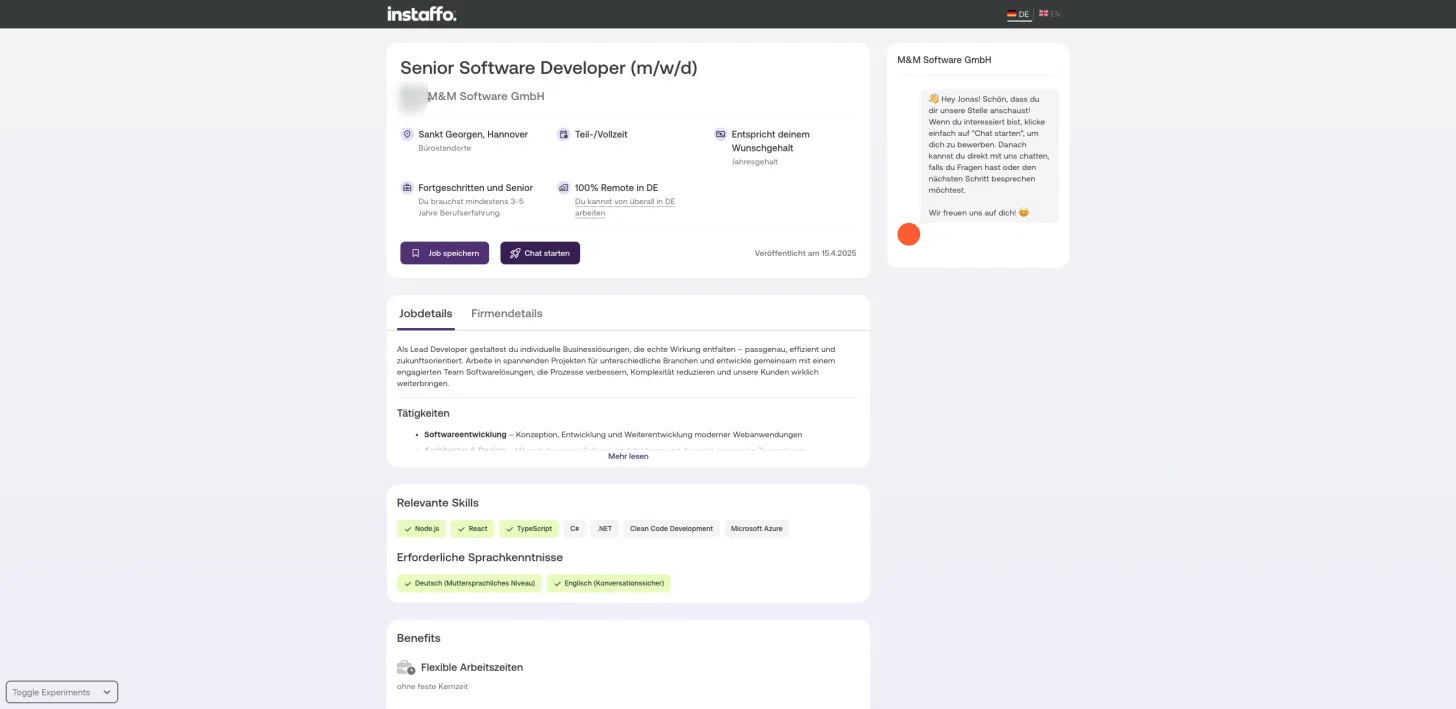
Click the "Start Chat" button
Click on the "Start Chat" button, which is located to the right of the "Save Job" button. This button appears directly under the job details and company information. -
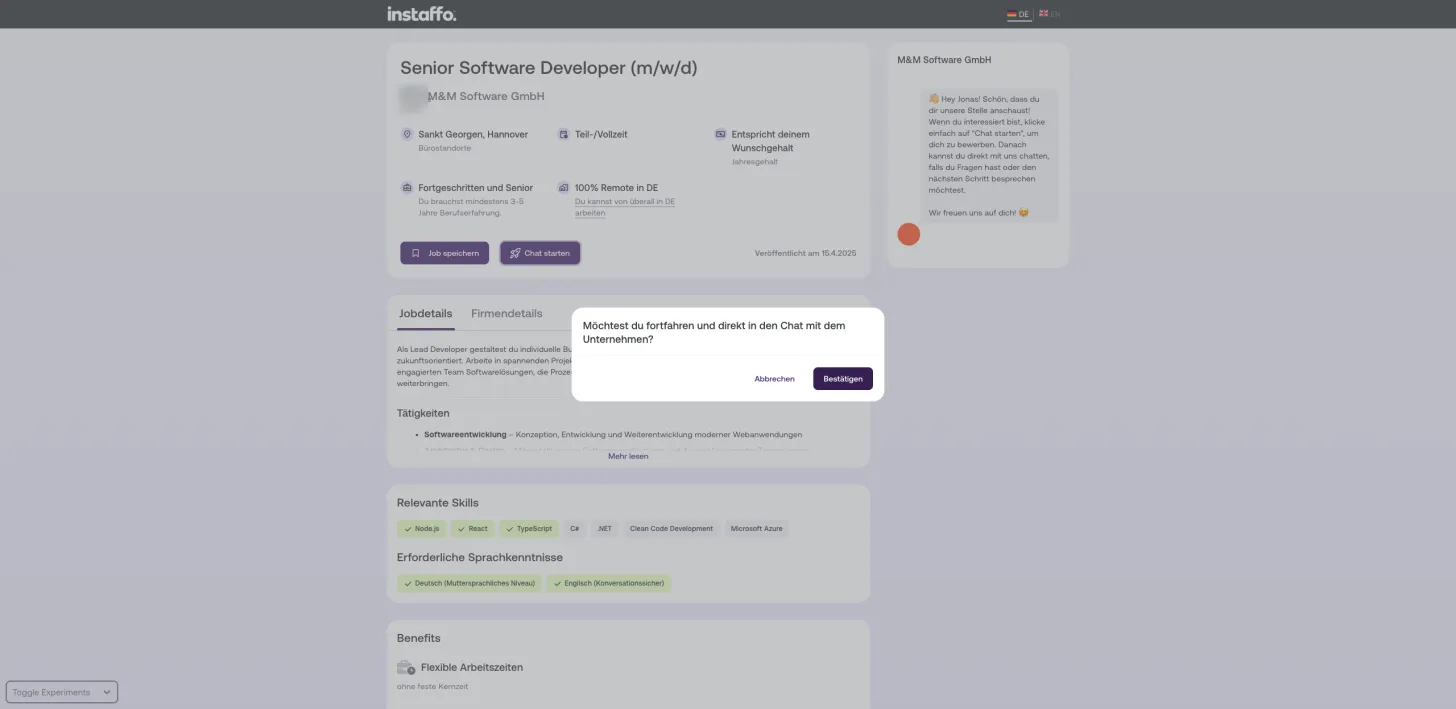
Confirm the chat
A popup dialog will open asking "Do you want to proceed and start a chat with the company?" Click the "Confirm" button in the bottom right of the dialog to continue. -
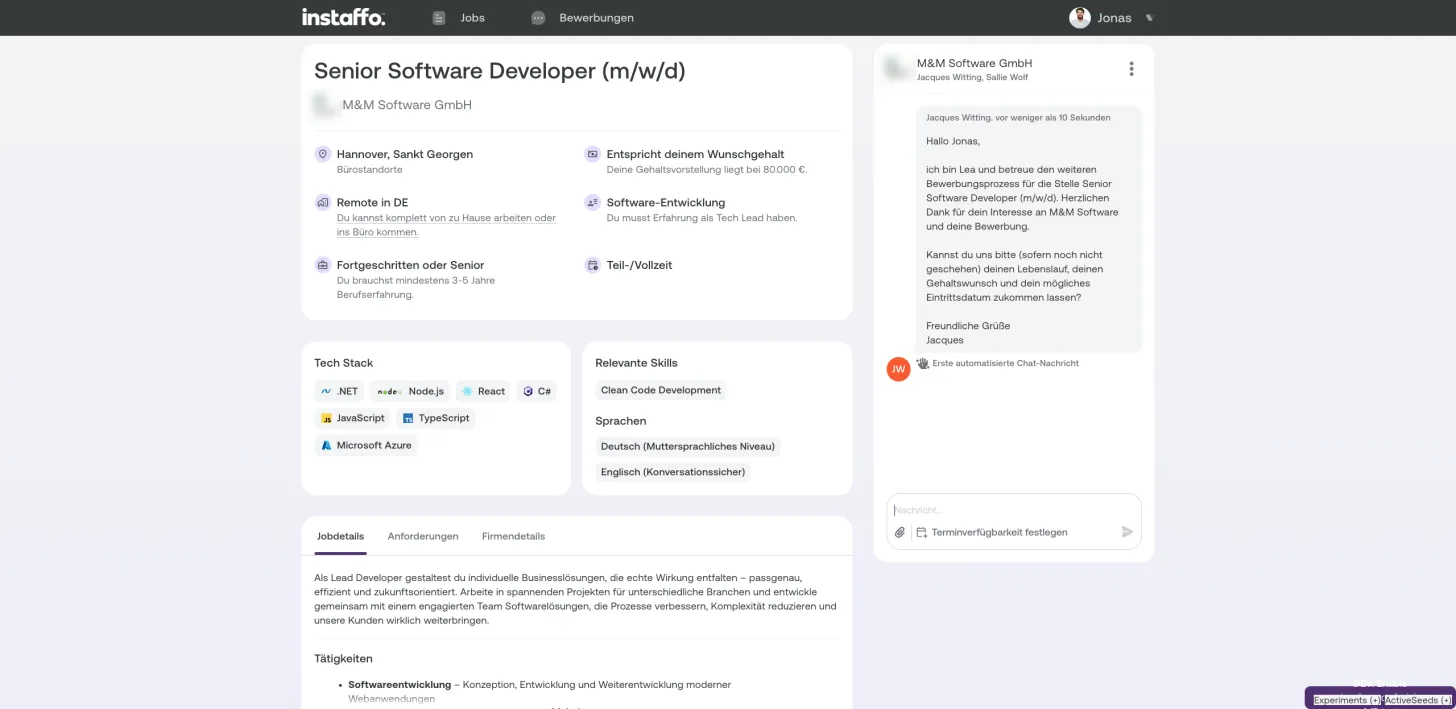
Write your first message
In the chat, you'll always receive an initial automated message from the company. Answer the questions they ask and tell them a bit about yourself. Keep in mind:- You're in direct contact with the company and the person responsible for hiring
- A short message is absolutely fine - no formal cover letter needed
- Highlight why you're a great fit for the position
-
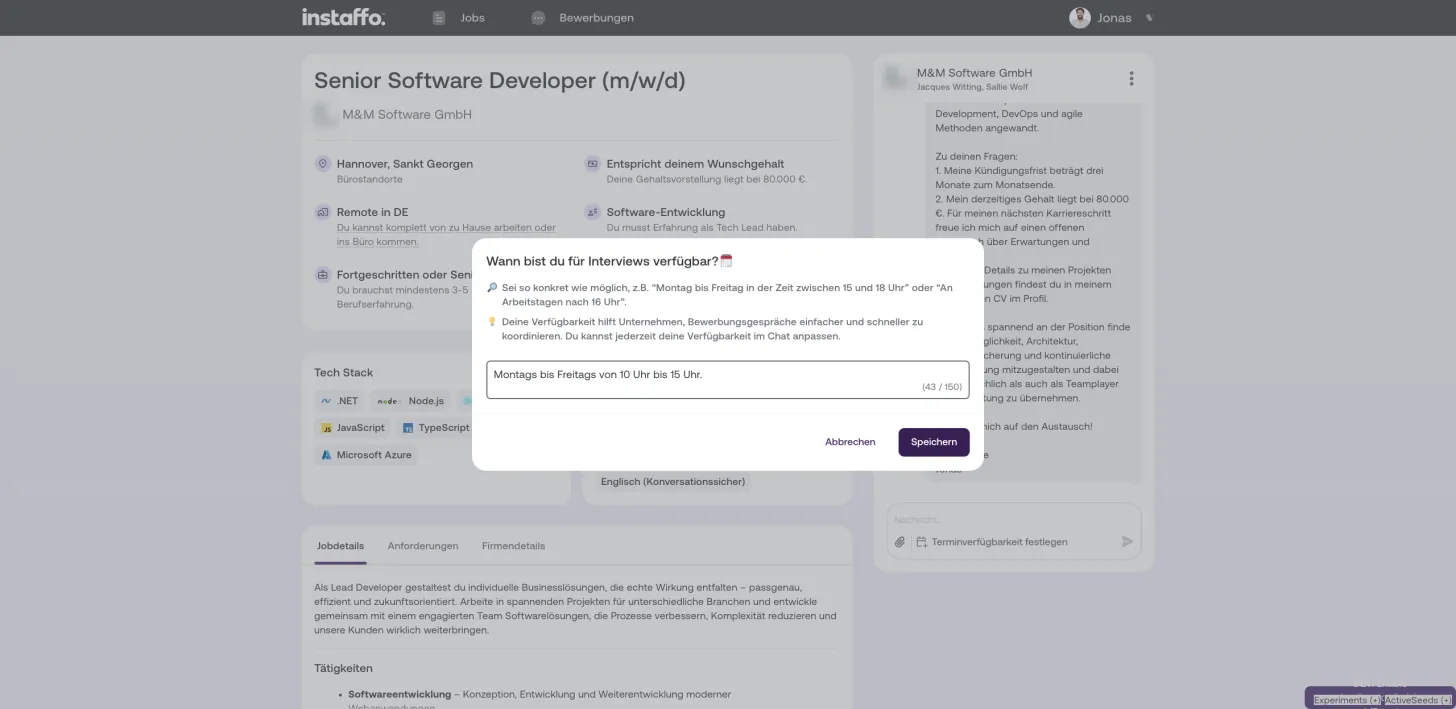
Indicate your availability
Click on "Set Availability" to specify your interview times. Provide specific time slots, for example "Monday to Friday between 3:00 PM and 6:00 PM". Then click "Save".
Once you've saved your availability, the process is complete. The company can now view your availability and get back to you.
 Powered by happysupport.ai